Search Engine APIs for SEO: Indexing API, IndexNow, GSC API, and How to Use Them Right
Pushing URLs through indexing APIs doesn't fix indexing problems, and building your SEO automation stack as though it does will waste months of engineering time.
Search Engine APIs for SEO: Indexing API, IndexNow, GSC API, and How to Use Them Right
Pushing URLs through indexing APIs doesn't fix indexing problems, and building your SEO automation stack as though it does will waste months of engineering time.
The Google Indexing API gives you a crawl priority bump within hours. The IndexNow API pings Bing, Yandex, and several other engines in a single POST request. The Search Console API lets you inspect indexing status programmatically for up to 2,000 URLs per day. These are useful tools. But every one of them operates downstream of the real decision: whether a search engine considers your page worth keeping in its index. If the answer is no, faster submission changes nothing.
This article defends that claim with three pieces of evidence, one from each major API, and explains what these tools are actually good for when you stop treating them as indexing shortcuts.
Google's Indexing API Technically Works for Any URL
Google's official documentation says the Indexing API supports JobPosting and BroadcastEvent schema types. That's the scope. In practice, SEOs have been submitting regular blog posts, product pages, and category pages through the API for years, and it works. The URLs get crawled faster. Many get indexed.
Here's where the approach gets dangerous.
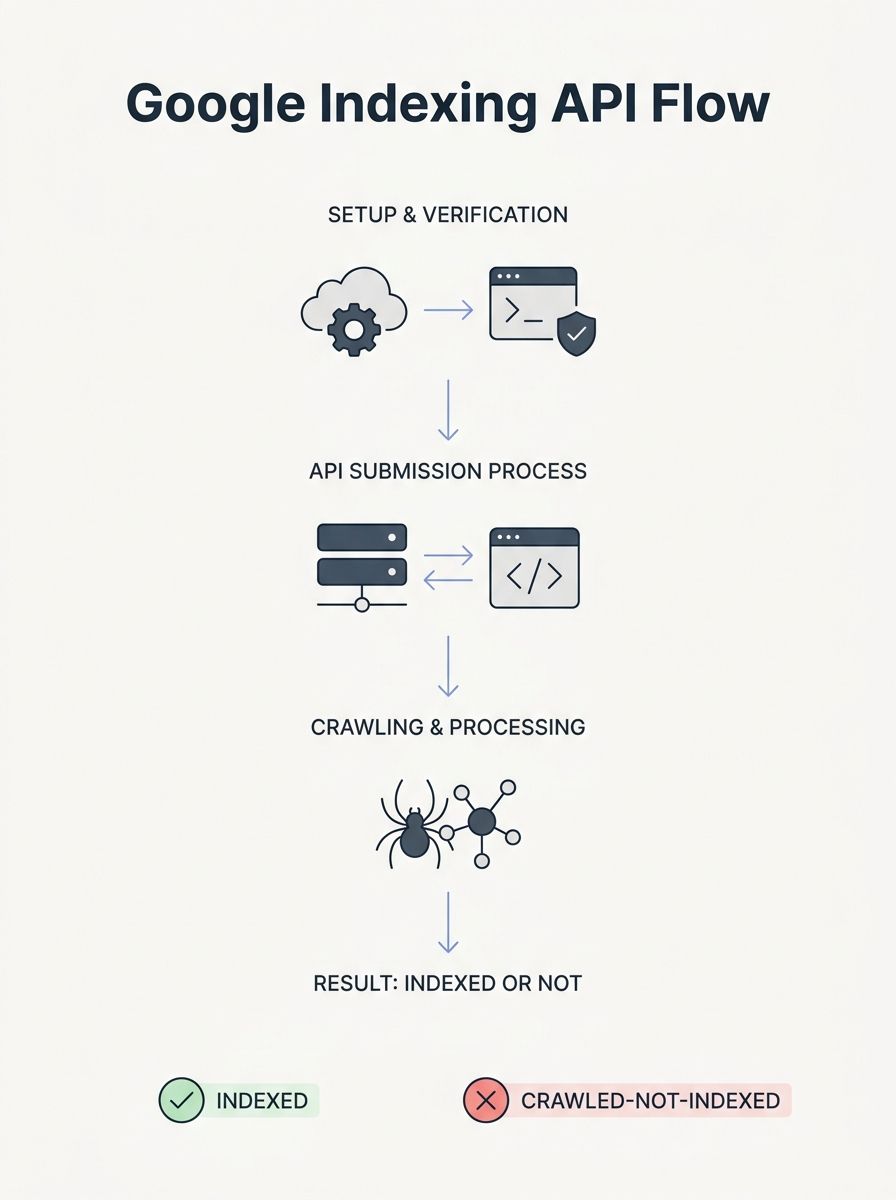
The API's daily quota is 200 publish/update notifications per service account. Some operators rotate multiple service accounts to multiply that limit, running three or four accounts to hit 600-800 daily submissions. The setup involves creating a Google Cloud project, enabling the Indexing API in the APIs & Services Library, generating a service account, and granting that account Owner access in Search Console. It's maybe 30 minutes of work per account.
And then what? You've submitted 600 URLs. Google crawls them within 24-72 hours instead of whenever Googlebot would have gotten around to it. But submission doesn't equal indexing. If you check those URLs in Search Console a week later, a meaningful percentage will show "Crawled - currently not indexed." Google visited the page, evaluated it, and decided it didn't belong in the index. Your API call didn't change that outcome. It only accelerated the rejection.
The Indexing API is genuinely valuable for time-sensitive content. If you run a job board, events site, or news operation where a 48-hour delay means the content is stale before it's discoverable, faster crawling has real business impact. For evergreen content on a site with thin authority or duplicate-adjacent pages, the API just tells you "no" faster. Understanding how crawling and indexing actually work matters more than any API integration.
Indexing API best practices that actually hold up
Set up the API for pages where speed matters. Don't bulk-submit your entire site. Use the URL Inspection endpoint (part of the Search Console API, not the Indexing API itself) to verify whether submitted pages actually made it into the index. If your "Crawled - currently not indexed" rate on API-submitted URLs exceeds 30-40%, the problem is your content or site authority, not your submission pipeline.
Build in deduplication. One well-designed n8n workflow template tracks submission state locally, preventing redundant calls within a seven-day window. That kind of quota-aware design is the difference between an automation that runs for months and one that burns through its daily limit re-submitting URLs Google already rejected.
IndexNow Guarantees Notification, Nothing Else
The IndexNow API is an open protocol supported by Microsoft Bing, Yandex, Seznam.cz, Naver, and Yep. You fire a single POST request to api.indexnow.org, and every participating engine gets notified simultaneously. Google doesn't participate, which means IndexNow does nothing for your Google indexing.
Implementation is straightforward. Generate a key, host a verification file at https://yoursite.com/{key}.txt, and submit URLs in batches of up to 10,000. Bing's daily quota through its Bing Webmaster API allows up to 10,000 URL submissions per day for most sites, reset at midnight GMT.
The volume is generous. The trap is assuming volume equals results.
IndexNow notifies search engines that content has changed. It does not guarantee crawling, and it absolutely does not guarantee indexing. Search engines still evaluate content quality, crawl budget, and ranking signals before deciding whether to index a page. A notification that your thin affiliate page was updated at 3:47 PM doesn't override Bing's quality assessment of that page.
Where IndexNow genuinely helps: large sites with frequent content changes. E-commerce catalogs with daily price updates, news publishers, sites with programmatic content that changes on a known schedule. For these use cases, IndexNow replaces the lag between content change and crawler discovery. If you're already tracking which SEO tools earn their subscription cost, IndexNow integration should be on the list because it's free and low-maintenance.

The diagnostic gap with IndexNow is real. You can verify that your API calls succeed (HTTP 200 responses), but you can't easily confirm what Bing or Yandex did with the notification afterward. That's why a two-pronged verification approach makes sense: check your IndexNow implementation logs to confirm calls are firing, then use each engine's webmaster tools to see what actually happened on the crawling and indexing side.
The Search Console API Is Where Indexing Problems Get Diagnosed
If the Indexing API is a megaphone and IndexNow is a doorbell, the Search Console API is a stethoscope. It's the only one of the three that tells you why things aren't working.
The URL Inspection endpoint lets you programmatically check whether a URL is indexed, when it was last crawled, what Google's canonical determination was, and whether there are any crawl errors. At 2,000 inspections per day, you can build automated monitoring for your most important pages. The Search Analytics endpoint gives you clicks, impressions, CTR, and average position data that the Search Console UI caps and truncates.
Here's how to use the Search Console API in a way that actually moves the needle on SEO automation:
Build inspection workflows for priority URLs
Set up a service account with programmatic access to your Search Console property. Write a script (or use an existing integration tool like Pipedream) that pulls URL Inspection data for your highest-value pages on a rotating schedule. Flag any page that shifts from "indexed" to "crawled - currently not indexed" or that shows a canonical mismatch. These are actionable signals that no amount of Indexing API submissions will fix.
A practical rotation: inspect your top 500 revenue-generating URLs every day, your next 2,000 pages weekly, and run a full-site sweep monthly. Prioritize pages where your SEO KPIs show declining impressions, because that often precedes a de-indexing event.
Use Search Analytics data to find the real problems
The raw data from the Search Console API, when stored in BigQuery or a similar warehouse, reveals patterns the UI hides. Pages losing impressions over a rolling 90-day window are decaying, and decay often correlates with content staleness or increased competition. Pages ranking in positions 7-20 with high impressions but low CTR are candidates for title tag and meta description rewrites, not re-submission.
The point is directional. Every hour you spend trying to push more URLs through indexing APIs could be spent diagnosing why existing URLs aren't performing. The Search Console API gives you that diagnostic capability at scale.

Where This Leaves the "Submit Everything" Strategy
The claim at the top was that indexing APIs don't fix indexing problems. Three pieces of evidence back it up.
The Google Indexing API accelerates crawling, and people who use it on general content are operating outside Google's documented scope. For pages Google has already decided not to index, faster crawling produces faster rejection. IndexNow notifies participating engines (not Google) that content exists or changed, but notification carries no weight in the indexing decision itself. The Search Console API, which many teams treat as an afterthought compared to the sexier submission tools, is the one that actually surfaces the information you need: why pages aren't indexed, what Google sees as the canonical, and where coverage is eroding.
None of this means you shouldn't use these APIs. You should. Wiring IndexNow into your CMS publish hooks costs almost nothing and covers Bing's ecosystem. Using the Indexing API for time-sensitive content types where speed matters is smart engineering. And the broader strategy around submission still includes sitemaps as the baseline that keeps Google's crawlers properly guided.
But the sequence matters. Diagnose first with the Search Console API. Fix the underlying issues: thin content, canonical confusion, messy URL structures, weak internal linking. Then, and only then, use submission APIs to make sure search engines discover your fixes promptly. Reversing that sequence means you're spending your API quota telling Google to look at pages it's already looked at and rejected. The tools work. The order in which people deploy them is where the strategy falls apart.
OrganicSEO.org Editorial
Editorial team writing about Ethical, white-hat, organic SEO education.
Frequently Asked Questions
- Does Google Indexing API guarantee pages will be indexed?
- No. The Google Indexing API only accelerates crawling within 24-72 hours but does not guarantee indexing. If Google determines a page doesn't belong in its index, faster submission simply means faster rejection. A meaningful percentage of submitted URLs may show "Crawled - currently not indexed" status even after successful API submission.
- What is the daily quota limit for Google Indexing API?
- The Google Indexing API allows 200 publish/update notifications per service account per day. Some operators rotate multiple service accounts to increase this limit, though this carries the risk of future enforcement since Google officially restricts the API to JobPosting and BroadcastEvent schema types only.
- Does IndexNow work with Google?
- No. IndexNow is supported by Bing, Yandex, Seznam.cz, Naver, and Yep, but Google does not participate in the protocol. IndexNow notifications do nothing for Google indexing and only help with non-Google search engines.
- What does IndexNow actually guarantee?
- IndexNow guarantees only notification—it sends a single POST request to all participating search engines. It does not guarantee crawling or indexing, as search engines still evaluate content quality and crawl budget before deciding whether to index a page.
- How can I check if my URLs are actually indexed?
- Use the Search Console API's URL Inspection endpoint, which allows you to programmatically check whether a URL is indexed, when it was last crawled, Google's canonical determination, and any crawl errors. You can inspect up to 2,000 URLs per day.
- What should I do if my Indexing API submissions have high rejection rates?
- If more than 30-40% of API-submitted URLs show "Crawled - currently not indexed" status, the problem is your content or site authority, not your submission pipeline. Focus on fixing underlying issues like thin content or weak authority rather than trying to submit more URLs.
- What is the correct order for using these SEO APIs?
- First diagnose problems using the Search Console API to identify why pages aren't indexed. Then fix underlying issues like thin content, canonical confusion, or poor linking. Finally, use submission APIs like the Indexing API and IndexNow to ensure search engines discover your fixes promptly.
- How should I verify IndexNow is working?
- Use a two-pronged approach: check your IndexNow implementation logs to confirm API calls are firing (HTTP 200 responses), then use each search engine's webmaster tools to verify what actually happened with crawling and indexing afterward.