Building Your First SEO Tool Stack: A Hands-On Setup Guide for Solo SEO Professionals
Google Search Console, a crawler, a keyword database, and a spreadsheet form the mechanical skeleton of every solo SEO tool stack that actually produces results. The common mistake people make when assembling this stack isn't picking the wrong individual tools.
How a Solo SEO Tool Stack Actually Works Under the Hood
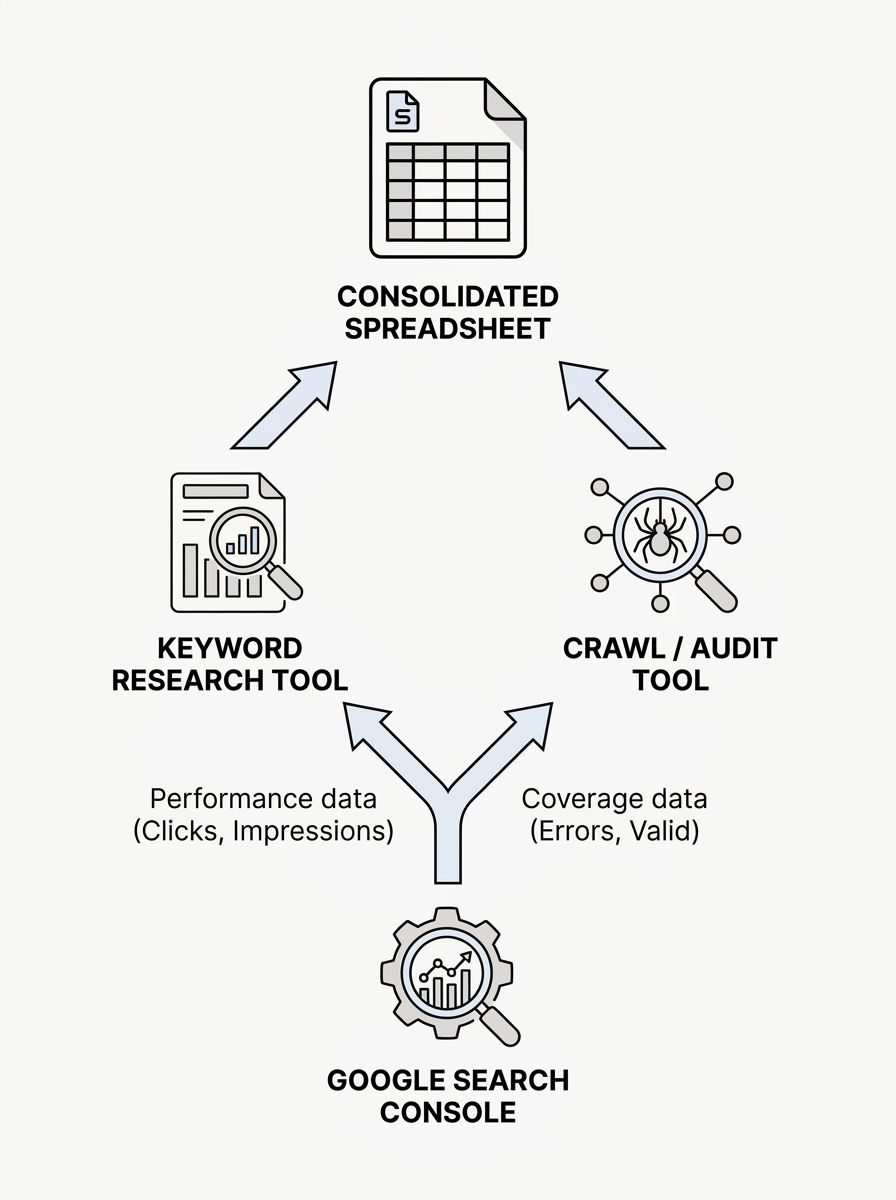
Google Search Console, a crawler, a keyword database, and a spreadsheet form the mechanical skeleton of every solo SEO tool stack that actually produces results. The common mistake people make when assembling this stack isn't picking the wrong individual tools. It's treating tool selection as the whole job, when the real mechanism is the sequence in which data moves from one tool into the next and the decisions you make at each handoff point. A well-connected four-tool stack will outperform a disconnected twelve-tool stack every time, because the output of each layer feeds the input of the next.
This guide walks through each layer of that mechanism, explains what each piece does that the others can't, and shows how the data actually flows between them.
Google Search Console Sits at the Bottom of Every Stack
Every SEO tool stack setup starts here, and there's a concrete reason: Google Search Console (GSC) is the only tool that gives you first-party data directly from Google's index. Everything else is estimated, scraped, or modeled. GSC tells you which queries your pages actually appeared for, how many impressions and clicks each query generated, and your average position. No third-party tool has access to this data.
The role GSC plays in your stack is ground truth. When a keyword research tool tells you a page should be ranking for a term, GSC confirms whether Google agrees. When your rank tracker shows a position change, GSC's data either corroborates or contradicts it.
Set up GSC first, verify your property, and let it accumulate at least two weeks of data before you make any decisions with other tools. The Performance report and the Coverage report are the two you'll use daily. The Performance report feeds your keyword research workflow. The Coverage report feeds your technical audit workflow. Those two data streams branch out into the rest of your stack.
If you're unfamiliar with how Google discovers and processes your pages in the first place, the primer on how crawling, indexing, and ranking work covers the fundamentals that make GSC's reports interpretable.
Picking a Keyword Research Tool Without Overspending
The keyword research layer is where most solo practitioners either overspend dramatically or skip entirely. Neither extreme works. You need one tool that can do three things: show you search volume estimates for target queries, surface related terms you hadn't considered, and give you a rough difficulty score so you can prioritize.
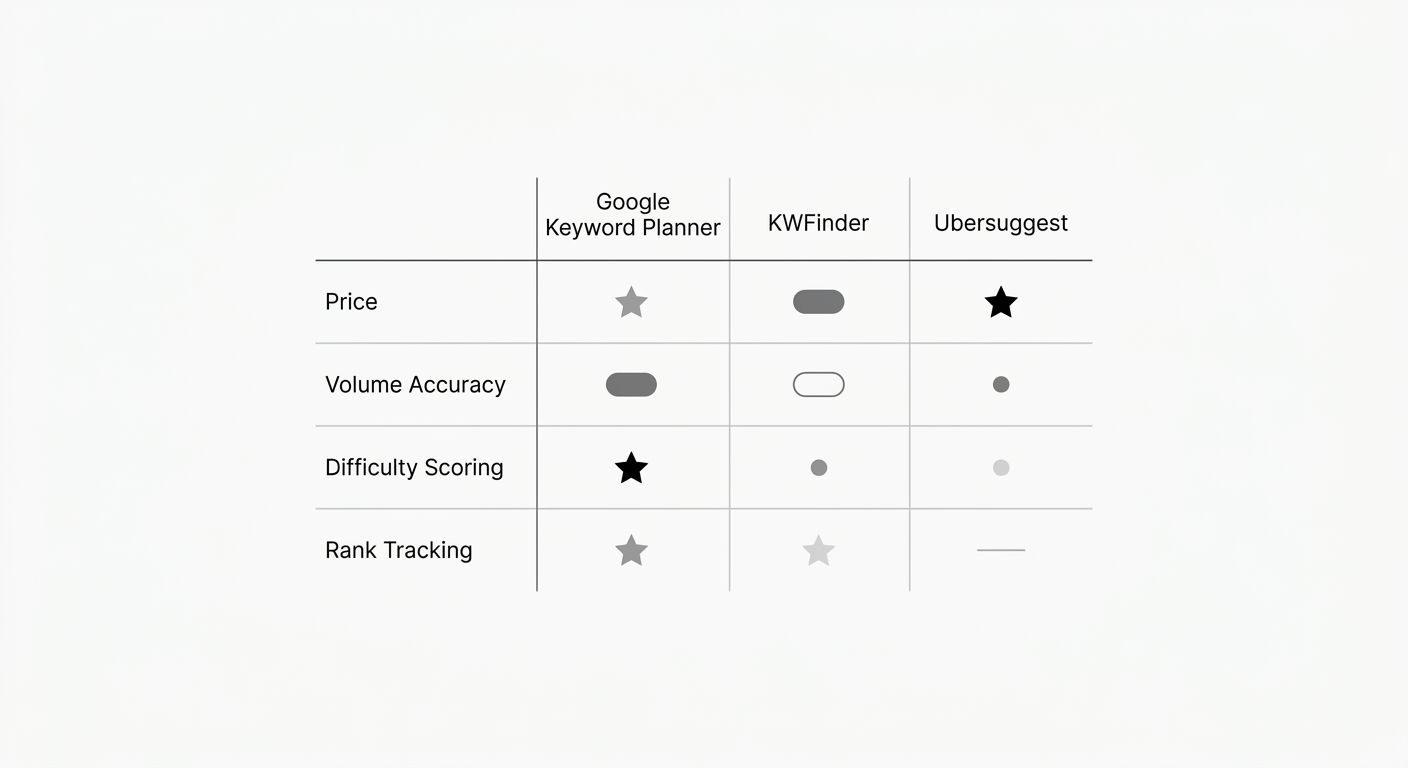
For keyword research tool selection on a tight budget, the free tier of Google Keyword Planner covers search volume ranges and related queries. It won't give you difficulty scores, and its volume ranges are broad (e.g., "1K–10K"), but it's genuinely useful for generating initial keyword lists. Pair it with Google Trends to see directional movement over time, and you've covered basic discovery at zero cost.
If you can spend $29–49/month, tools like KWFinder from Mangools or Ubersuggest fill the gap. KWFinder analyzes backlinks, SERPs, and local keyword trends alongside its difficulty scores, and it includes rank tracking. According to a comparison of budget-friendly SEO tools, a mix of Ubersuggest, Mangools, and Screaming Frog plus free Google tools can cover keyword research, on-page SEO, technical audits, and rank tracking for most small operations. Ahrefs also offers a $29/month starter plan that Reddit's SEO community frequently recommends for budget-constrained work.
The mechanism here matters: your keyword tool's output should flow directly into your content planning. Export your keyword list, add a column for the GSC queries you're already ranking for, and you'll immediately see gaps between what you target and what Google actually associates with your site. We've written before about auditing your keyword tool spend to make sure you're not paying for overlapping capabilities across multiple subscriptions. That same logic applies here in reverse: make sure your one tool covers the three functions above before adding a second.
The Crawl-and-Audit Layer
Your keyword research tool tells you what to optimize for. Your crawl tool tells you whether your site is technically capable of ranking. These are separate problems, and confusing them wastes enormous amounts of time.
Screaming Frog's SEO Spider is the standard here for solo practitioners. The free version crawls up to 500 URLs, which is plenty for most sites under that page count. It finds broken links, duplicate title tags, missing meta descriptions, redirect chains, and orphaned pages. For many free SEO tools for beginners, the sheer breadth of Screaming Frog's free crawl is hard to beat.
The data flow works like this: you run a crawl, export the results, and cross-reference them against GSC's Coverage report. GSC tells you which pages Google has trouble indexing. Screaming Frog tells you why. A page showing "Crawled - currently not indexed" in GSC might have thin content, a noindex tag, or a canonical pointing elsewhere. Screaming Frog surfaces the technical explanation. If you want a structured approach to working through these findings, the systematic SEO troubleshooting framework breaks the diagnostic process into repeatable steps.
Run a full crawl after any significant site change: new pages published, URL structure updated, theme or template swapped. Between those events, a monthly crawl catches drift.
How Data Flows Between the Layers
This is the part that separates a functional SEO tool integration workflow from a collection of browser tabs. The tools themselves are commodities. The workflow is what you're actually building.
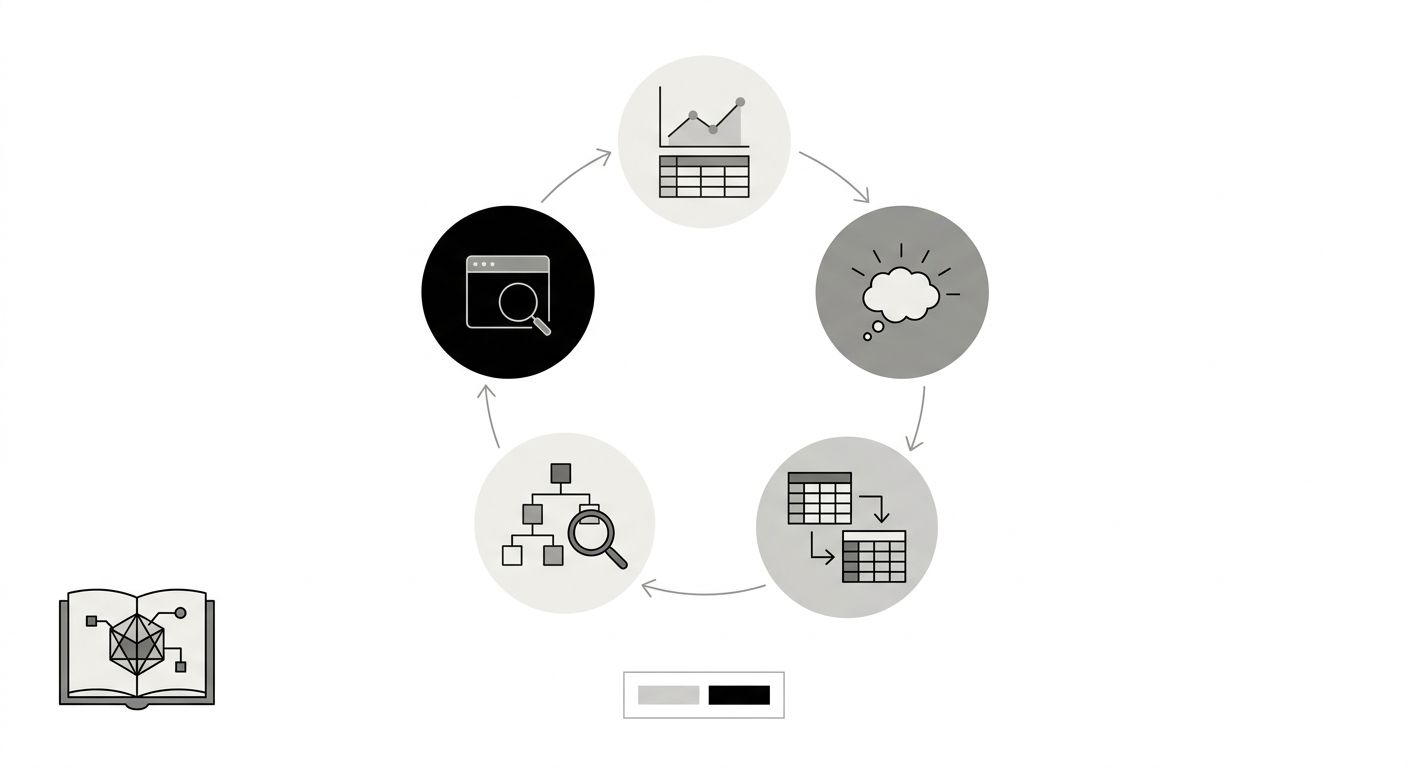
Here's the concrete sequence:
GSC Performance report → Export your top 50 queries by impressions. These are your current opportunity set.
Keyword research tool → Run those 50 queries through your keyword tool. Add related terms, check difficulty, identify long-tail variants. Export the expanded list.
Spreadsheet → Merge both exports. You now have a master keyword list with GSC click data, keyword tool volume estimates, and difficulty scores in one place. Flag terms where you have impressions but low CTR (position 4–10 range). Those are your optimization priorities.
Crawl tool → Crawl the pages that target your priority keywords. Confirm they're indexable, loading properly, and free of technical blockers.
Back to GSC → After making changes, monitor the Performance report over the next 2–4 weeks to see whether impressions and clicks shift.
That loop is the mechanism. Every other tool you add later plugs into one of those five steps. A rank tracker automates step 5. A content optimization tool adds detail to step 2. A backlink checker adds a new data column in step 3. But the loop itself stays the same.
Where Free Tools Run Out and Paid Ones Earn Their Cost
The free SEO tools for beginners stack described above (GSC, Google Keyword Planner, Screaming Frog free, Google Sheets) handles a surprising amount of real work. But it has specific blind spots that paid tools fill.
Backlink data. GSC shows you some of your inbound links, but the data is incomplete and not sorted by quality. If you need to understand your backlink profile relative to competitors, you need Ahrefs, Moz, or Semrush. For a solo practitioner building links through white-hat outreach, even the cheapest Ahrefs plan gives you enough to identify link gaps.
Historical keyword tracking. GSC retains 16 months of data. If you need longer trend lines or want to compare seasonal patterns across years, a dedicated rank tracker fills that gap. But be honest about whether you actually need this. For most solo sites in their first year, the 16-month GSC window is more than sufficient.
SERP feature monitoring. GSC tells you about featured snippets you've won, but it doesn't show you which SERP features exist for queries you're targeting. Tools like Semrush and Ahrefs map these features per keyword. This matters more as your site grows and you start competing for featured snippets, People Also Ask boxes, and similar placements.
The decision framework is straightforward: run the free stack for 60–90 days. When you hit a specific question the free tools can't answer, that's when you add a paid tool to address that exact question. Don't subscribe preemptively. We covered which SEO tools actually earn their subscription cost in depth, and the conclusion holds: the right time to pay is when free tools create a measurable bottleneck in your workflow.
Why This Stack Works Despite Looking Simple
Four tools feels too few. People expect that doing SEO properly requires a dashboard with dozens of integrations and automated reports flying into Slack channels. For enterprise teams managing thousands of pages across multiple domains, that complexity is justified. For a solo practitioner, it's overhead disguised as productivity.
The reason this minimal stack works is that each tool occupies a distinct layer with no functional overlap. GSC provides ground-truth search data. The keyword tool provides market-level opportunity data. The crawl tool provides site-health data. The spreadsheet is the integration layer where all three data streams merge. Remove any one of these, and you have a blind spot. Add a fifth tool that duplicates one of these functions, and you've added cost without adding signal.
The mechanism breaks when your site scales beyond what manual spreadsheet merging can handle, or when you're managing multiple client sites with different GSC properties. At that point, you graduate from this stack into platforms like Ahrefs or Semrush that consolidate multiple layers into a single interface. But you should understand the underlying data flow before you outsource it to an all-in-one platform. Otherwise, you'll pay for features you don't use and miss signals the platform buries three clicks deep.
If you're running this stack right now, consider scheduling a quarterly keyword research refresh to keep your spreadsheet from going stale. The tools don't expire, but the data they produced last quarter absolutely does.
The simplicity is the point. You can set up this entire stack in an afternoon, start generating real insights by the end of the week, and iterate on it for months before you need to spend a dollar beyond your existing Google account. When you do eventually add a paid tool, you'll know exactly which workflow gap it fills, because you'll have felt that gap firsthand.
OrganicSEO.org Editorial
Editorial team writing about Ethical, white-hat, organic SEO education.