Debugging SEO Issues Like Production Defects: A Systematic Troubleshooting Framework
When organic traffic drops 30% over two weeks, the first instinct matters more than most practitioners admit. Some open server logs. Others fire up a crawling tool and wait for the audit report.
Debugging SEO Issues Like Production Defects: A Systematic Troubleshooting Framework
When organic traffic drops 30% over two weeks, the first instinct matters more than most practitioners admit. Some open server logs. Others fire up a crawling tool and wait for the audit report. A growing number work through a rigid dependency chain, refusing to investigate ranking factors until they've confirmed the page is even reachable. Each of these systematic debugging methodologies has a real track record in technical SEO troubleshooting, and each fails predictably in specific situations.
The trouble is that ad hoc approaches waste time and can make problems worse. As Search Engine Land's debugging framework puts it plainly, smart SEO debugging follows a repeatable process that systematically eliminates variables to isolate root causes instead of chasing red herrings. Rewriting content because rankings dropped, or assuming a penalty because traffic tanked, leads to weeks of effort pointed at the wrong layer of the stack.
So which systematic approach should you actually use? The answer depends on your site's architecture, your access to data, and whether you're dealing with a sudden break or a slow bleed. Here are the three dominant methods, weighed against each other honestly.
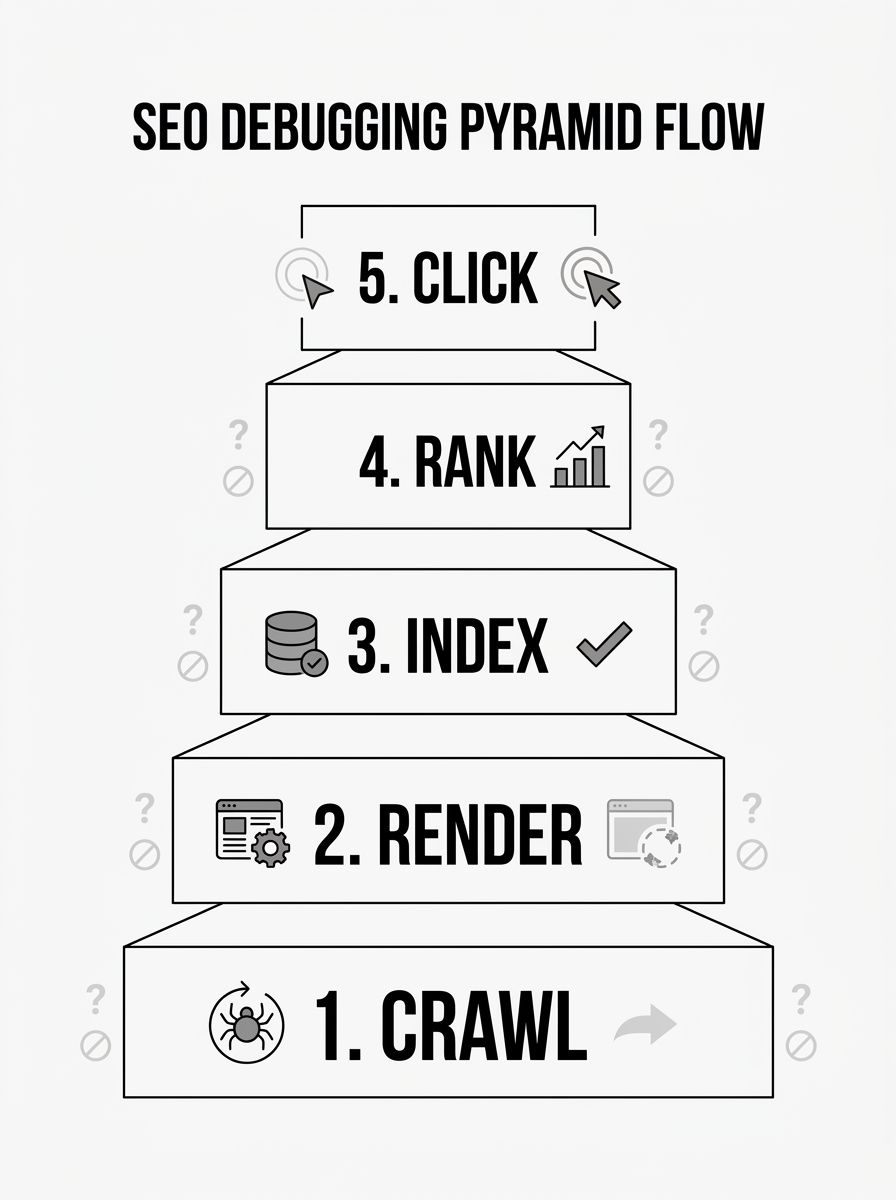
The Dependency Pyramid: Crawl → Render → Index → Rank → Click
The pyramid model has become the most widely taught framework in 2026, and for good reason. It enforces a strict order of investigation. You don't look at ranking signals until you've confirmed Google can crawl the URL. You don't investigate click-through problems until you've confirmed the page ranks. Each layer depends on the one below it.
The layers break down like this:
Crawl — Can Googlebot reach the page? Check robots.txt, HTTP status codes, internal link structure, and XML sitemaps. Roughly 10% of websites suffer from server errors or misconfigured robots.txt files that block access to entire content sections.
Render — Once Googlebot reaches the page, can it see the content? Client-side JavaScript rendering remains a major stumbling block. Google's December 2025 rendering update confirmed that pages returning non-200 status codes may be excluded from the rendering pipeline entirely.
Index — Is Google choosing to store the page? The "Discovered – currently not indexed" status in Search Console is a quality signal, not a technical error. Understanding this distinction saves enormous diagnostic time.
Rank — Does the page compete effectively for target queries? This is where content quality, backlinks, and Core Web Vitals (especially Interaction to Next Paint, which replaced FID as a ranking factor) come into play.
Click — Does the SERP listing earn the click? With AI Overviews reshaping click behavior, this layer now involves structured data strategy and content formatting for extraction.
Where the pyramid works well
This approach excels when you're troubleshooting a specific URL or a small cluster of pages. The strict ordering prevents you from wasting time optimizing content on a page that Google can't even crawl. If you understand how crawling, indexing, and ranking relate to each other, the pyramid feels intuitive. You're essentially walking the same path Googlebot walks, checking for failures at each step.
It's particularly effective for crawlability root cause analysis on sites with complex JavaScript frameworks. If a React or Angular app serves content through client-side rendering, the pyramid forces you to confirm rendering works before you ever question why rankings are low. Sitebulb's rendering debugging guide demonstrates how rendering failures account for a huge share of indexing problems that get misdiagnosed as content quality issues.
Where it falls short
The pyramid is slow for site-wide problems. If 10,000 URLs simultaneously lose rankings after a core update, you don't need to verify that each one is crawlable. The pyramid's rigid ordering becomes a bottleneck when the evidence already points strongly toward a specific layer. Experienced practitioners often skip layers when the symptom signature is obvious, but the framework doesn't account for that kind of informed shortcutting.
It also struggles with problems that span multiple layers at once. A site with both rendering failures and thin content will see the pyramid catch the rendering issue first, and you might spend weeks fixing JavaScript delivery only to discover the content itself was the primary problem Google cared about.
Log-Based Root Cause Analysis
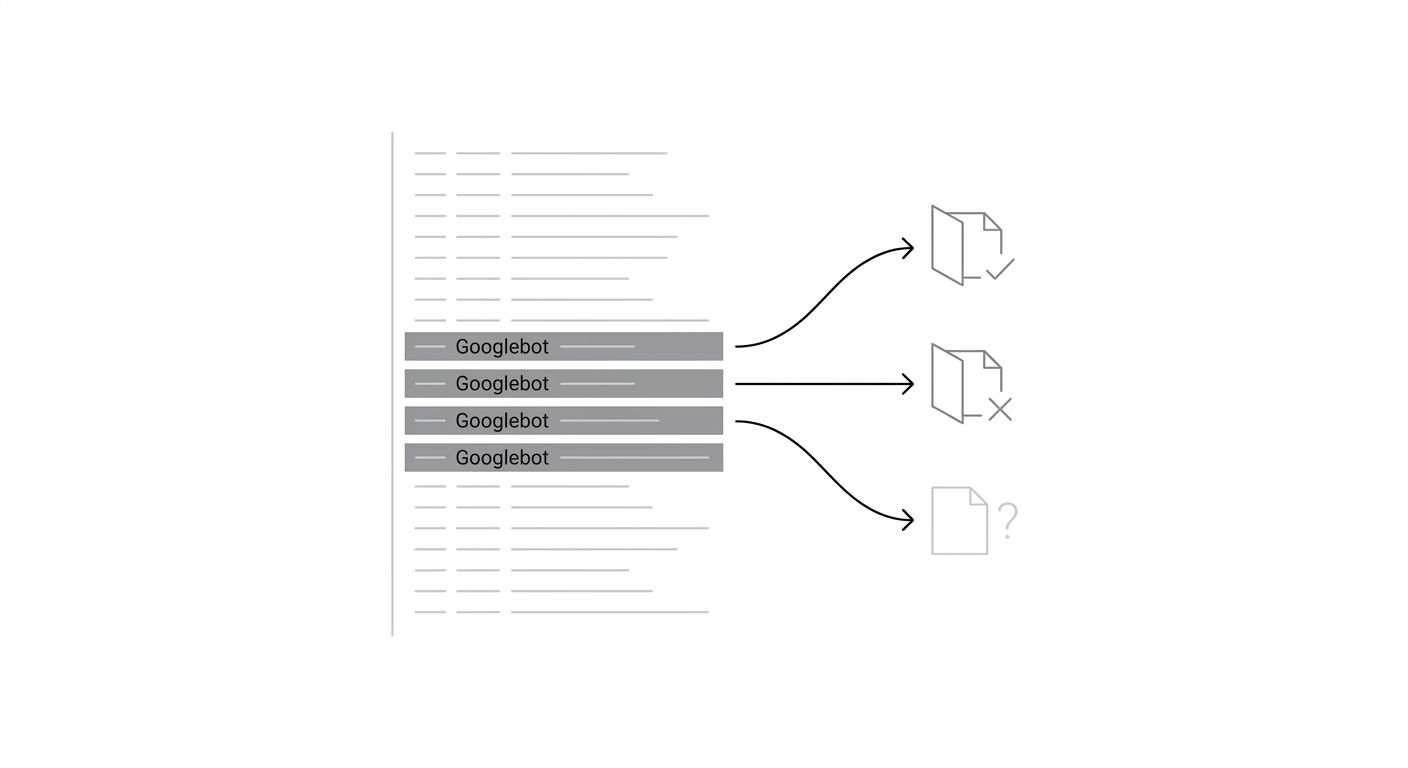
Server log analysis starts from a fundamentally different premise: instead of simulating what Google does, you look at what Google actually did. By parsing access logs for Googlebot's real crawl behavior, you get ground truth about which URLs were requested, how often, what status codes were returned, and which sections of your site Google ignores entirely.
This approach treats your web server as the source of truth. If Googlebot hit a URL 47 times in the last month and got a 200 response each time but the page still isn't indexed, you've immediately ruled out crawl and server issues. If Googlebot hasn't visited a URL in 90 days despite it being in your sitemap, you know the problem is upstream of everything else.
Where log analysis wins
For large sites (50,000+ pages), log analysis is the fastest way to identify systemic SEO issue isolation techniques. Patterns jump out: Googlebot might be spending 80% of its crawl budget on faceted navigation URLs with parameters like ?color=red&size=small, while your highest-value product pages get crawled once a month. You see this immediately in the logs without needing to audit every page individually.
Log analysis also catches problems that automated tools miss entirely. Spider traps, infinite URL spaces generated by calendars or search filters, and session ID parameters that create duplicate URLs are all visible in raw logs before any auditing tool reports them. If Googlebot is requesting thousands of URLs that follow a pattern like /products?sid=abc123, you'll spot the crawl waste in minutes.
Where it falls short
You need access to server logs, which sounds obvious but is a genuine barrier. Many shared hosting environments don't provide raw access logs, and cloud platforms like Netlify or Vercel require separate configuration to capture them. Even when you have logs, parsing them requires technical skill. If you're comfortable with command-line tools or log analysis platforms like Screaming Frog's log analyzer, the data is rich. If you're not, the learning curve is steep.
Log analysis also tells you what happened but not always why. You might see that Googlebot stopped crawling a section of your site, but logs won't tell you whether that's because of a robots.txt change, a noindex directive, a canonicalization issue, or simply Google deciding the content isn't worth crawling. You still need to investigate the cause using other methods. And logs are backward-looking by nature. They describe past bot behavior, which means if you recently deployed a fix, you need to wait for Googlebot's next visit to confirm it worked. For faster feedback, the Search Console URL Inspection API and related tools are more useful.
Automated Audit Triage
The third approach leans on crawling tools (Screaming Frog, Semrush Site Audit, Sitebulb, Ahrefs Site Audit) to generate a prioritized list of issues across your entire site. You run a crawl, the tool flags problems by severity, and you work through them from critical to minor.
This is probably the most common approach in practice. It requires the least upfront technical knowledge, the tools handle the crawling and categorization, and the output is a clear to-do list. When choosing between SEO audit tools, the quality of issue prioritization is often the differentiating factor.
Where automated audits win
Speed to first insight is unmatched. A full site crawl with Screaming Frog can identify broken links, duplicate content, blocked URLs, incorrect canonical tags, redirect chains, missing meta data, and orphaned pages in a single pass. For a site with a few hundred pages, this takes minutes. For tens of thousands of pages, it might take an hour or two.
Automated tools are also excellent at catching the accumulation of small issues that individually seem minor but collectively drag down crawl efficiency. Dozens of redirect chains, hundreds of pages with duplicate title tags, a handful of canonical tags pointing to 404 pages. These compound issues don't cause dramatic visibility drops, so they never trigger an urgent investigation. They just slowly erode performance over months. Regular automated audits catch them before they compound.
The reporting output is also easier to hand off. If you need to convince a development team to prioritize fixes, a categorized list with severity scores and affected URL counts is far more persuasive than a spreadsheet of log data.
Where it falls short
Automated tools crawl your site from outside, which means they see what a generic crawler sees, not necessarily what Googlebot sees. Differences in JavaScript rendering capabilities, cookie handling, IP-based content serving, and user-agent detection can all create discrepancies between what your audit tool reports and what Google actually encounters.
The bigger problem is interpretation. Audit tools flag everything, and not every flagged issue actually matters. A tool might report 3,000 pages with "thin content" based on word count thresholds, but many of those pages (product specifications, reference tables, tool pages) are supposed to be brief. If you lack the experience to separate noise from signal, you'll spend weeks "fixing" issues that never affected your rankings.

Automated audits also struggle with the "why" behind problems, just like log analysis does. The tool tells you that 500 pages have the "Discovered – currently not indexed" status, but it can't tell you whether that's a quality problem, a crawl budget problem, or an intentional Google decision. You still need to bring judgment to the data. And if you want to understand the broader context of whether your metrics are actually declining or being distorted, tracking the right SEO performance KPIs matters before you start the audit.
How To Choose Between These Three
The honest answer is that experienced practitioners use all three, but they don't use them equally for every situation. The deciding factors are site size, the nature of the problem, and what data you have access to.
Use the dependency pyramid when you're debugging a specific URL or a small group of pages with clear symptoms (not indexed, not ranking, not appearing in SERPs). The rigid ordering keeps you from skipping past the actual cause. If you're new to systematic debugging methodology, the pyramid is the best place to start because it teaches you to think in layers.
Use log-based analysis when you're dealing with a large site (50,000+ pages) and need to understand how Googlebot is allocating its crawl budget across your site sections. It's also the right choice when automated tools keep giving your site clean bills of health but organic visibility is still declining. The gap between what a tool sees and what Googlebot actually does is often where the real problem hides.
Use automated audit triage when you need a broad health check, when you're onboarding a new site and need to understand the landscape quickly, or when you need actionable output to share with a development team. It's the fastest path from "something is wrong" to "here are the 12 specific things to fix, ranked by impact."
The worst approach is to commit dogmatically to one method and ignore the others. A pyramid practitioner who never checks server logs will miss crawl budget problems that don't show up in URL-level analysis. A log analyst who never runs an automated audit will miss the slow accumulation of on-page issues. An audit-only practitioner will misdiagnose rendering and crawl behavior problems that the tool can't see.
If you're building a repeatable process for your team, start with automated audits on a regular schedule to catch slow-bleed issues, use the pyramid for any specific URL or section that shows clear symptoms, and bring in log analysis quarterly or whenever the first two methods fail to explain what you're seeing. That combination covers the widest range of failure modes with the least wasted effort, and it's close to what production engineering teams do when they combine monitoring dashboards, structured incident response, and periodic deep-dive reviews.
The skill worth developing isn't mastery of any single framework. It's the ability to look at a symptom and know which framework will reach the root cause fastest.
OrganicSEO.org Editorial
Editorial team writing about Ethical, white-hat, organic SEO education.