7 Canonical Tag Mistakes That Quietly Drain Crawl Budget and Authority (and How to Fix Them)
Audits across more than 1,000 brand websites consistently rank rel canonical misconfiguration among the top 10 technical SEO issues that erode rankings. These errors fragment link equity, waste crawl budget on duplicate URLs, and suppress pages from Google's index without any visible warning.

7 Canonical Tag Mistakes That Quietly Drain Crawl Budget and Authority (and How to Fix Them)
Audits across more than 1,000 brand websites consistently rank rel canonical misconfiguration among the top 10 technical SEO issues that erode rankings. These errors fragment link equity, waste crawl budget on duplicate URLs, and suppress pages from Google's index without any visible warning.
Mistake 1: Skipping Self-Referencing Canonicals
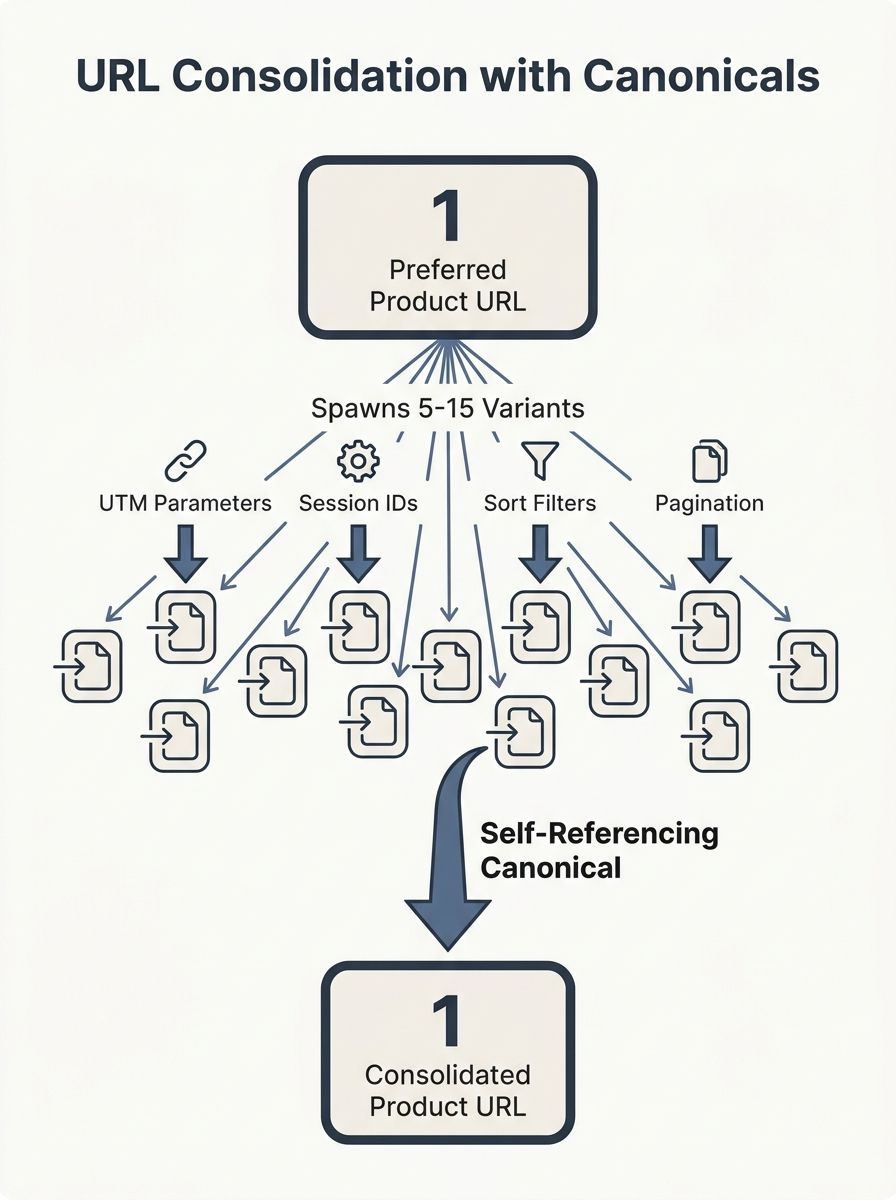
Every indexable page on your site should declare itself as its own canonical. A self-referencing canonical tells Google, "This URL is the preferred version," even when no duplicates exist yet. Without it, you lose a critical safety net.
Why does this matter? Because CMS platforms, analytics tools, and tracking parameters generate URL variants constantly. A single product page can spawn 5 to 15 URL variations through UTM parameters, session IDs, sort filters, and pagination tokens. Each variant looks like a separate page to Googlebot. As Moz's canonicalization guide documents, "search engines may not recognize these variations as the same page, leading to issues with duplicate content."
A contributor on Reddit's r/SEO put it plainly: "The self-referencing canonical tags are a catch-all measure to deal with things you have not prevented in other ways."
The fix is straightforward. Add a self-referencing canonical tag in the head section of every indexable page. Use the full absolute URL, including protocol and domain. If your site generates dynamic parameters (and session IDs that hurt crawlability are a common culprit), the self-referencing canonical acts as your backstop. Run a crawl with Screaming Frog or Sitebulb to flag every page missing one. On a 10,000-page site, you'll typically find 8% to 12% of pages lack this basic declaration.
Mistake 2: Pointing Canonicals at Dead or Redirecting URLs
A canonical tag that points to a 404 page or a URL returning a 301 or 302 redirect breaks the chain of authority entirely. Google can't consolidate signals toward a page that doesn't resolve cleanly.
SEOmator's audit research confirms this: "If a URL returns a status code indicating an error (such as 404) or a redirect (like 301 or 302), you can jeopardize your canonicalization efforts." The result is that link equity flowing into those pages vanishes instead of consolidating at your preferred URL.
This problem compounds during site migrations. When you move 500 or more pages to new URL structures, canonical tags on old pages often still reference the pre-migration URLs. Those URLs now return 301 redirects (or worse, 404 errors). Every canonical pointing at a redirecting URL forces Google to make an extra hop, and Google treats these as hints rather than directives. In practice, many of these canonicals get ignored.
The fix: Export all canonical tag destinations from your crawl tool and cross-reference them against HTTP status codes. Every canonical URL should return a 200 status. If it returns anything else, update the tag to point directly to the final, live URL. No redirect chains. No dead ends. Recheck after every migration. If you've worked through debugging SEO issues systematically, you know this kind of cross-referencing catches problems that visual spot-checks miss.
Mistake 3: Relative URLs Instead of Absolute URLs
Canonical tags with relative paths (like /page instead of https://example.com/page) introduce ambiguity. Google's John Mueller has stated multiple times that absolute URLs are the correct format for canonical tags. A relative URL leaves room for misinterpretation across subdomains, protocols, and CDN configurations.
On sites running 3 or more subdomains (blog.example.com, shop.example.com, docs.example.com), a relative canonical of /product can resolve differently depending on which subdomain serves the page. The result is duplicate content across subdomains, with each version claiming a different absolute URL as canonical.
The fix: Search your rendered HTML for canonical tags containing relative paths. Update every one to a full absolute URL with the correct protocol (https) and preferred domain format (www or non-www, but pick one). This takes 10 minutes in most CMS templates, because the canonical is usually generated from a single theme or plugin file.
Mistake 4: Two Canonical Tags on One Page
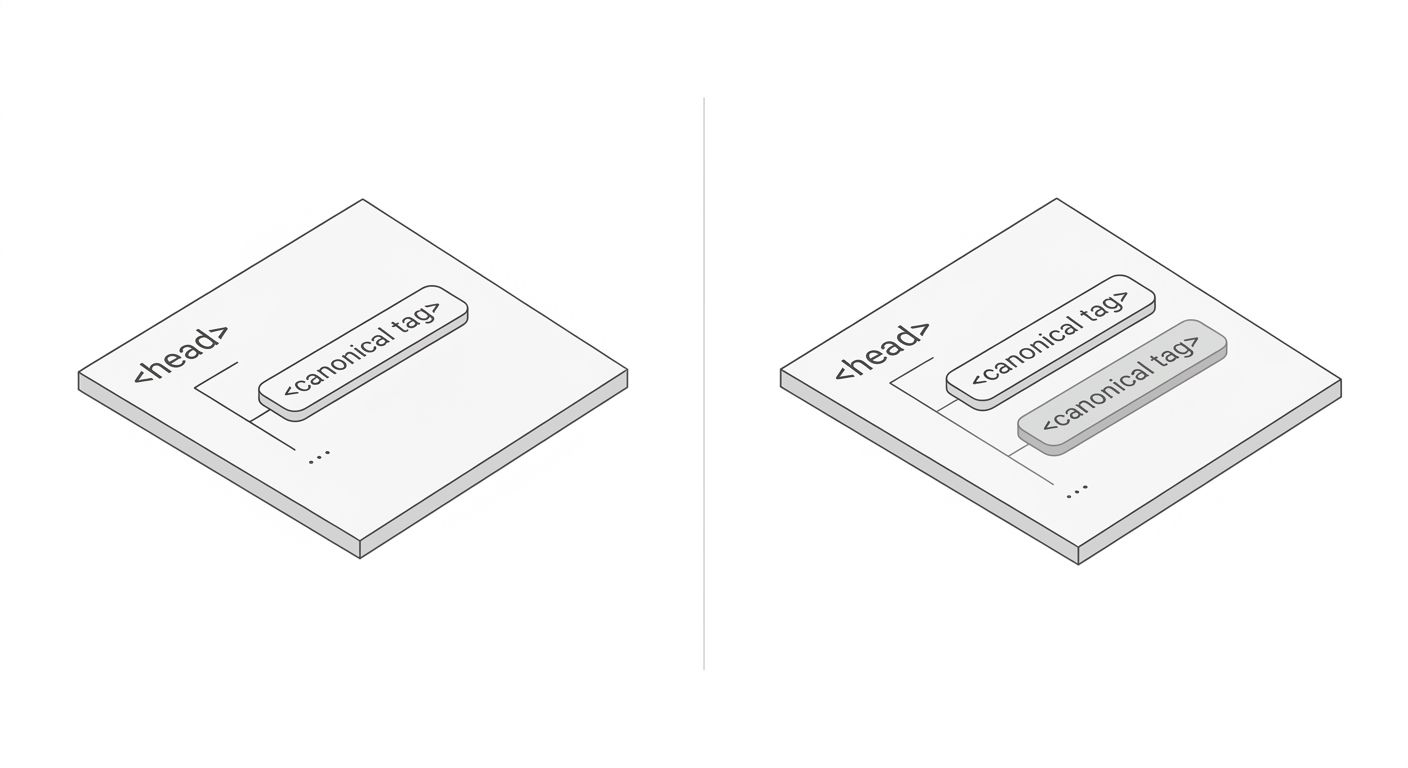
When a page contains 2 or more canonical tags, search engines receive conflicting instructions. The typical outcome, per Botify's technical documentation and Google's own statements, is that Google ignores both tags and makes its own choice about which URL to index. You lose control entirely.
This happens most often when a CMS generates one canonical tag and a plugin or theme adds a second. WordPress sites running Yoast SEO alongside a separate caching or schema plugin will sometimes output 2 competing canonical tags in the head section. The page source looks fine on casual inspection because the tags are both valid HTML. Only a line-by-line review of the rendered output catches it.
The fix: Crawl your site with JavaScript rendering enabled. Filter for pages with more than 1 canonical tag. Disable the duplicate source (usually the plugin you didn't intend to handle canonicalization). On a 5,000-page WordPress site, this single fix can correct canonical conflicts on 200 to 400 pages. Choosing the right SEO crawler for your workflow makes this audit substantially faster.
Mistake 5: Canonicalizing Pages That Aren't True Duplicates
Canonical tags are designed for pages with identical or near-identical content. Pointing a canonical from page B to page A tells Google, "Treat page A as the version that matters, and ignore page B." If those pages have meaningfully different content, Google will almost certainly ignore the tag.
Semrush's canonical URL guide makes this explicit: "If the content isn't a true duplicate, a canonical tag sends the wrong message. Google is highly likely to ignore these canonicals. Even similar items, like two models of headphones, should have their own self-referencing canonical tags, so each product remains eligible to rank."
E-commerce sites make this mistake often. A store with 1,200 product pages might canonicalize color variants (blue widget and red widget) to a single "parent" product. If those variants have different images, reviews, titles, and specifications, they're distinct pages. The canonical tag suppresses them from search results, killing potential ranking opportunities for long-tail queries.
The fix: Audit every cross-page canonical (where the canonical URL differs from the page URL). For each one, compare the content on both pages. If more than 20% to 30% of the visible content differs, remove the cross-page canonical and replace it with a self-referencing one.
Mistake 6: Protocol and Domain Mismatches
A canonical tag pointing to http://example.com/page on a site that serves content at https://www.example.com/page creates a mismatch on 2 dimensions: protocol and subdomain. Google sees 4 possible URL variants for every page on your site: http://example.com, https://example.com, http://www.example.com, and https://www.example.com. Your canonical tags need to consistently point to exactly 1 of those 4 formats.
This is especially common after HTTPS migrations. The SSL certificate gets installed, redirects go live, but canonical tags still reference the old http:// version. On a site with 3,000 pages, even a 15% mismatch rate means 450 pages are sending Google conflicting signals about which protocol is authoritative.
Understanding how site structure influences crawlability and authority flow helps explain why this matters. Each mismatched canonical splits the authority signals Google has already accumulated for that page across two (or more) URL versions.
The fix: Set up 301 redirects from all non-preferred URL formats to the single preferred format. Then audit every canonical tag to confirm it matches the redirect destination exactly. Same protocol. Same domain. Same trailing slash pattern. One pass through your crawl data, filtered by canonical URL, will surface every mismatch.
Mistake | Primary Damage | Detection Method | Typical Fix Time |
|---|---|---|---|
Missing self-referencing canonical | Duplicate content from URL variants | Crawl tool filter: pages without canonical | 1-2 hours for template fix |
Canonical pointing to 404/301 | Lost link equity, ignored signals | Cross-reference canonical URLs with status codes | 2-4 hours per 1,000 pages |
Relative URL in canonical | Subdomain/protocol ambiguity | Regex filter on crawl export | 10-30 minutes (template edit) |
Multiple canonical tags | Google ignores both tags | Rendered HTML crawl, filter count > 1 | 30 minutes (disable duplicate source) |
Canonicalizing non-duplicates | Suppressed pages, lost rankings | Compare content on canonical pairs | 3-6 hours per 500 cross-page canonicals |
Protocol/domain mismatch | Split authority across URL variants | Filter canonical URLs not matching site protocol | 1-2 hours plus redirect setup |
Conflicting canonical + hreflang | Wrong language version indexed | Cross-reference hreflang and canonical targets | 2-4 hours for multilingual sites |
Mistake 7: Conflicting Canonicals on Multilingual Sites
On multilingual sites using hreflang tags, each language version of a page should carry a self-referencing canonical. A common mistake, documented in Semrush's canonical URL guide, is "listing https://example.com/topic as the canonical URL on each page" across all 3 or more language versions. This tells Google that only the English (or default) version matters, effectively suppressing the French, German, and Spanish pages from their respective regional search results.
Botify's analysis of canonical behavior confirms the downstream effect: "Links to page B will be counted as links to page A if page B canonicals to page A." When your French page canonicalizes to your English page, every backlink earned by the French content passes its authority to the English URL instead. On a site with 5 language versions and 800 pages per language, that's 3,200 pages funneling their link equity to the wrong destination.
The fix: Every hreflang page gets a self-referencing canonical that matches its own URL. The hreflang annotations handle the cross-language relationship. The canonical tag handles the duplicate-content relationship. These two systems work in parallel, and they should never conflict.
When You Should Use Canonical vs Noindex
These two directives solve different problems, and swapping them causes real damage. Understanding the distinction between canonical vs noindex saves you from a category of mistakes that audits routinely uncover.
Use a canonical tag when 2 or more URLs contain the same (or very similar) content and you want to consolidate their signals into one preferred URL. The duplicate pages stay crawlable but pass their authority to the canonical target. Use noindex when a page has unique content you don't want in search results at all, like internal search results pages, staging URLs, or admin dashboards.
The crawl budget implications differ too. As noted in a TechSEO discussion on Reddit, "having more 200s for Google to crawl (and now render) is wasting their resources." A canonical tag on a duplicate page still returns a 200 status, meaning Google crawls it before deciding to defer to the canonical target. A 301 redirect prevents the crawl entirely. For crawl budget waste on sites with thousands of URLs, redirects are the more efficient choice when the duplicate URL serves no user-facing purpose.
LinkBuildingHQ's analysis reinforces this point: "The issue of crawl budget rarely arises with smaller sites, but it is a common occurrence for sites with thousands of URLs." If your site has fewer than 1,000 pages, canonical tags alone handle most consolidation needs. Above 10,000 pages, you should pair canonicals with 301 redirects and noindex directives as part of a layered crawl management strategy.
What These Audits Still Can't Predict
Canonical tags are hints, not commands. Google's documentation says this clearly, and every experienced SEO practitioner has seen Google override a canonical directive. The data tells you which mistakes to fix and how to fix them. It doesn't tell you how long Google will take to re-process your changes, or whether Google had already chosen a different canonical for your page before you intervened.
Crawl data also doesn't reveal the full picture of crawl budget allocation. Google doesn't publish per-site crawl budgets, and the rate at which Googlebot visits your pages depends on server response time, perceived site quality, update frequency, and dozens of other factors. Fixing all 7 of these canonical tag mistakes removes friction from the process, but the speed of recovery varies by site size, domain authority, and how long the errors persisted.
What's measurable: after correcting canonical issues on a 5,000-page site, you can track changes in Google Search Console's "Crawl Stats" report within 2 to 4 weeks. Pages previously listed under "Duplicate without user-selected canonical" or "Duplicate, Google chose different canonical than user" should start resolving. Pages previously suppressed should begin appearing in the index. These are the signals worth watching, because they confirm Google has seen and acted on your changes.
OrganicSEO.org Editorial
Editorial team writing about Ethical, white-hat, organic SEO education.
Related Articles
The SEO Debugging Checklist: How to Diagnose Visibility Drops Systematically (Not Frantically)
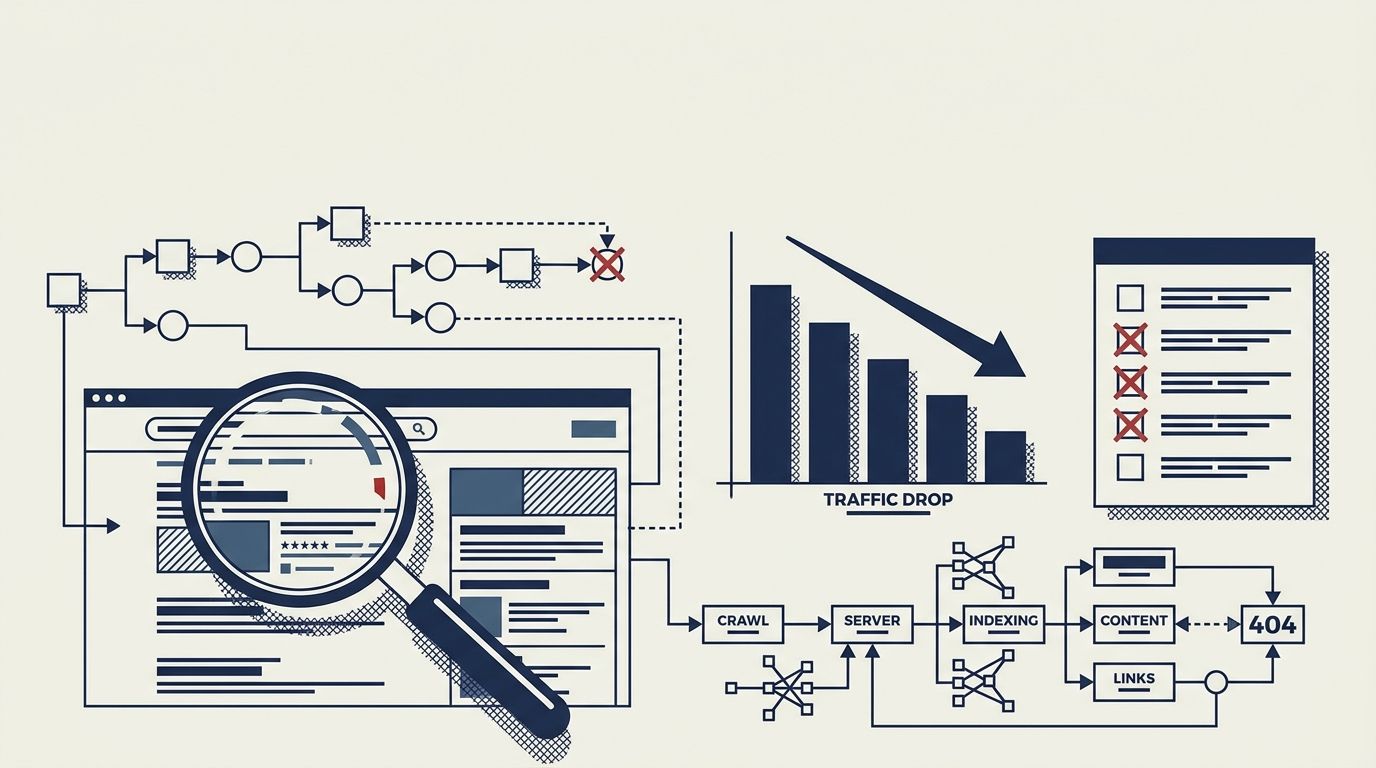
Diagnosing organic traffic drops requires a bottom-up diagnostic sequence through five layers: Crawl, Render, Index, Rank, and Click. Fixing lower layers first prevents wasted hours rewriting content that Google never crawled in the first place.
Entity Consistency Across Your Site: The Often-Missed Technical SEO Foundation
Entity consistency SEO is the practice of naming, describing, and marking up every person, organization, product, or concept identically across every page, schema block, and social profile your brand controls.
Keyword Intent Mismatch: How to Spot When Your Rankings Hide Poor Traffic Quality
Pages ranking on page one for target keywords convert at roughly 3% on average, but pages with strong keyword intent alignment push past 5%, per Grow and Convert's conversion data. The gap between those numbers is where intent mismatch hides, and three detection methods exist to find it.