The Organic Channel Measurement Checklist: How to Set Up Attribution You Can Actually Trust in GA4 and GSC
GA4's default organic channel grouping misclassifies a measurable portion of search traffic as "Direct" or "Unassigned," inflating direct numbers and undercounting organic by 30–50% compared to position-based models.
The Organic Channel Measurement Checklist: How to Set Up Attribution You Can Actually Trust in GA4 and GSC
GA4's default organic channel grouping misclassifies a measurable portion of search traffic as "Direct" or "Unassigned," inflating direct numbers and undercounting organic by 30–50% compared to position-based models. Seven configuration steps fix the worst of these distortions without third-party tools.
Link Google Search Console to GA4 before you touch a single report
GSC and GA4 don't sync automatically. You have to connect them manually inside GA4's admin settings, and until you do, GA4 has zero access to keyword-level query data, impression counts, or click-through rates from Google search results. The whole process takes about 5 minutes according to setup guides, but a surprising number of sites run for months without completing it.
Here's what the GSC GA4 integration gives you: search queries, landing page performance data, impressions, and clicks show up directly inside GA4's reporting interface. Without this link, your organic attribution setup is missing the entire pre-click half of the funnel. You can see that someone arrived via organic search, but you can't see which of your 500 indexed pages earned the click or how many impressions each query generated across your property.
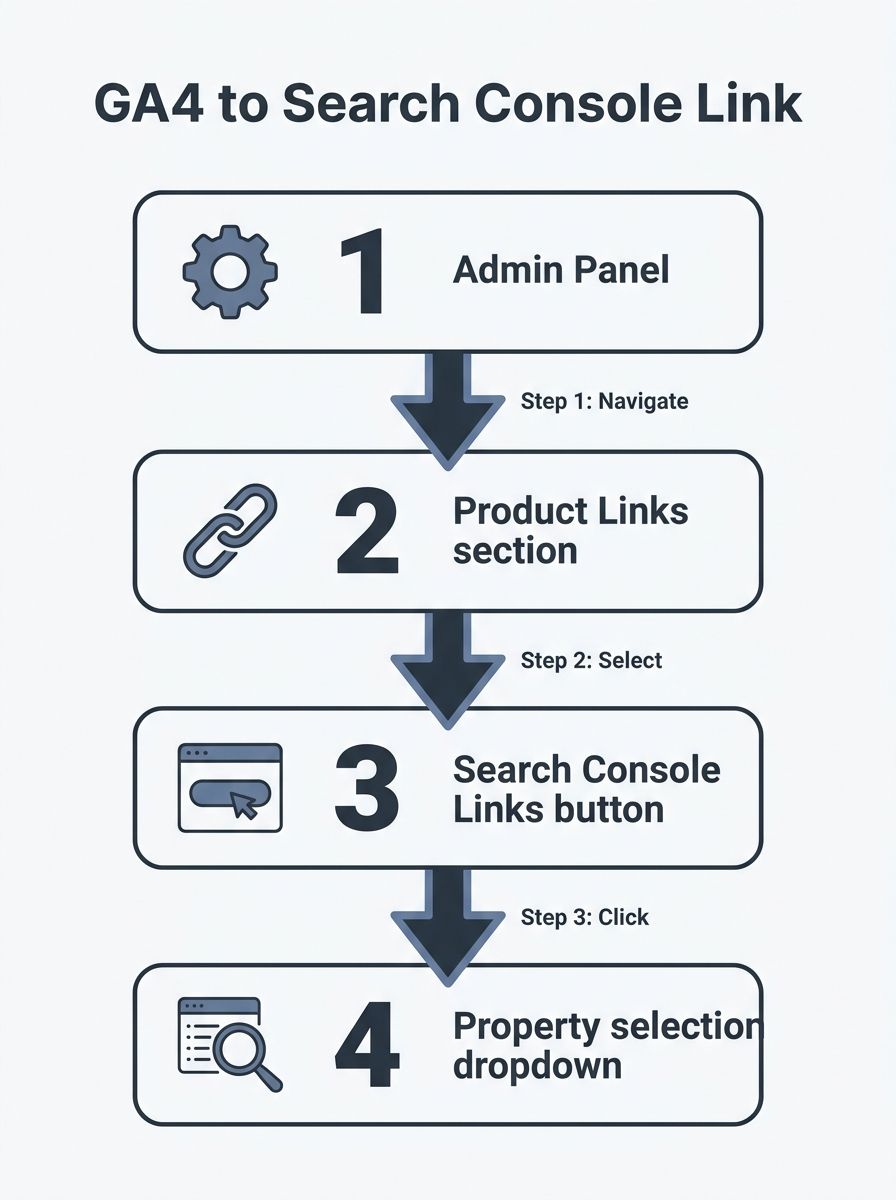
Go to GA4 → Admin → Product Links → Search Console Links. Select the GSC property that matches your GA4 data stream. Confirm. But know this: Google's own integration guidelines acknowledge that data between the two platforms will never match perfectly due to differences in session tracking, time zone handling, and attribution models. The link is still non-negotiable for any serious SEO measurement checklist.
Extend data retention to 14 months on day one
GA4's default data retention period is 2 months. That means any exploration report, funnel analysis, or custom segment you build will only reach back 60 days unless you change this setting manually. Year-over-year organic comparisons, which are the backbone of any SEO performance review, become impossible with a 2-month window.
The fix takes 15 seconds: GA4 → Admin → Data Settings → Data Retention → change the dropdown from 2 months to 14 months. This is the maximum GA4 allows for standard (free) properties. GA4 360 properties can retain data for up to 50 months, but the standard 14-month cap serves most sites well. The change applies going forward only, so every day you wait is a day of explorable data you won't recover. Standard aggregate reports like Traffic Acquisition aren't affected by this setting, but your ability to slice data with custom dimensions and segments is.
If you're running quarterly audits of your keyword rankings, you need at least 12 months of explorable data to spot seasonal patterns and separate real declines from normal fluctuation. The default 2-month window makes that analysis impossible inside GA4.
Filter by session source/medium, not default channel grouping
The "Organic Search" label in GA4's default channel grouping is a bucket defined by rules Google controls entirely. Unlike Universal Analytics, you cannot create your own channel grouping definitions in GA4's default view. Google decides what qualifies as "Organic Search" based on a spreadsheet of source/medium combinations, and anything that doesn't match cleanly gets shunted elsewhere.
This matters because GA4's stricter attribution rules require clear source data to categorize a session as organic. Many visits that were previously classified as organic in Universal Analytics now inflate direct traffic counts in GA4. The result: your GA4 organic channel grouping report systematically underreports real organic traffic.
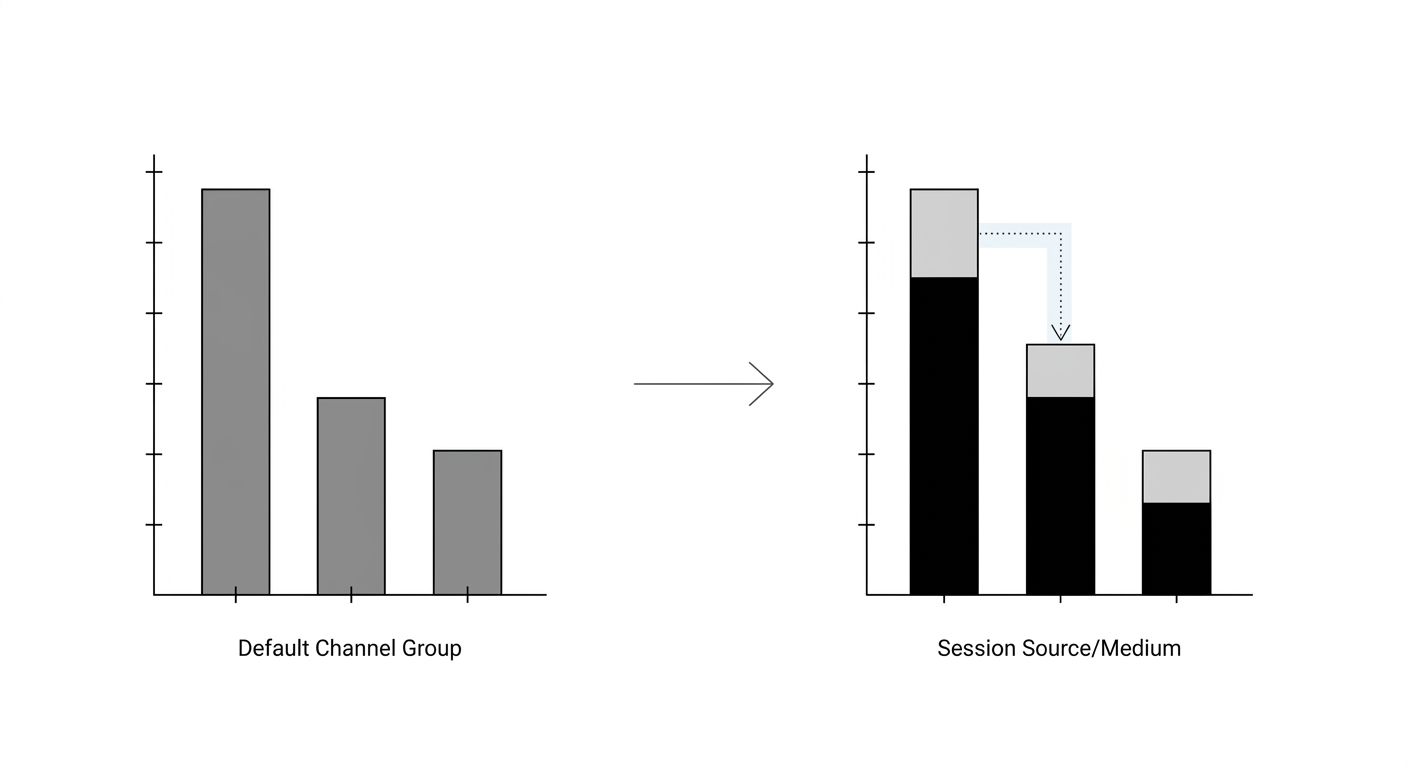
The workaround: use Session source/medium as your primary dimension instead of Default channel group. Filter for google / organic (or bing / organic, duckduckgo / organic, etc.) to isolate actual organic sessions. This gives you better channel data accuracy in GA4 because you're examining the raw source classification rather than Google's aggregated bucket. You can cross-reference Google's full list of default channel group source and medium mappings to understand exactly which combinations land in which bucket. Bookmark that spreadsheet and revisit it periodically. Google updates it.
Audit your Direct and Unassigned traffic every month
Why does your Direct traffic look suspiciously high? Because a chunk of it is organic traffic that GA4 couldn't attribute. GA4's session-scoped attribution relies on the last non-direct click model, which means it skips over direct traffic unless no other touchpoint data exists. When source data is missing entirely, the session falls into Direct by default.
The diagnostic step: go into your GA4 Traffic acquisition report and filter for Direct traffic. Then examine the landing pages. If you see blog posts, deep product pages, or long-tail content URLs showing up as Direct entries, those sessions are almost certainly misclassified organic visits. Nobody types a 6-segment URL path directly into their address bar. If you've worked on fixing internal link structures on service sites, you already know how deep-page traffic patterns reveal attribution problems.
Run the same check for Unassigned traffic. Practitioners on Reddit's GA4 community have noted that checking the source/medium of unassigned sessions often reveals the vast majority have "(not set)" values, meaning GA4 received no referrer or UTM data at all. You won't eliminate this completely, but tracking the monthly ratio of Direct-to-Organic gives you a running estimate of your measurement error margin.
Set your attribution model and lookback window deliberately
The data-driven attribution model is GA4's default, using machine learning trained on your account's historical conversion data to distribute credit across touchpoints. For sites with at least several hundred conversions per month, this is a reasonable starting point. But you need to understand how GA4 handles two distinct attribution scopes.
User-scoped attribution (First User dimensions) tracks the channel that originally acquired a user, answering "where did this person first come from?" Session-scoped attribution (Session dimensions) tracks the channel that started a specific visit, answering "what brought them back this time?" Both scopes use the last non-direct click model, meaning they skip Direct unless it's the only touchpoint. The distinction changes your numbers dramatically: a user who discovered you through organic search 3 months ago but returned via email yesterday will credit Organic under First User scope and Email under Session scope. Match the scope to your question.
Then check your lookback window. GA4's default is 30 days for acquisition conversion events and 90 days for other conversion events involving Google Ads. If your average SEO-driven buying cycle runs 45 or 60 days, the 30-day default cuts off early organic touchpoints entirely. Adjust under Admin → Attribution Settings. For sites where organic search typically initiates a multi-week research phase before conversion, extending the acquisition lookback to 90 days captures 2–3× more organic-assisted conversions in your reports.
Enforce lowercase UTM discipline on every non-organic campaign
This rule sounds unrelated to organic attribution. It's directly connected. When your paid, email, or social campaigns use inconsistent UTM parameters, GA4 can't classify those sessions into the correct channel group. They bleed into "Unassigned" or "Direct," and your organic numbers absorb pollution from other channels that should have been properly tagged.
GA4 treats utm_source=Facebook and utm_source=facebook as two entirely different sources. One might match the default channel group rules for Paid Social; the other might not. The result: traffic that should be categorized as Social or Email shows up as Unassigned, distorting every channel's reported share, including Organic Search. The same problem hits utm_medium values — email vs Email vs e-mail creates 3 separate entries where there should be 1.
The fix: enforce a naming convention across every team that creates campaign links. All lowercase, no spaces (use hyphens), and every non-organic link carries utm_source, utm_medium, and utm_campaign at minimum. If you're tracking SEO performance KPIs alongside other channels, dirty UTM data makes any cross-channel comparison unreliable. A single quarterly audit of your source/medium report sorted alphabetically will reveal duplicate entries immediately.
Cross-reference GSC and GA4 numbers expecting a permanent gap
Google's own documentation confirms that GSC and GA4 will report different organic numbers for the same time period. GSC counts clicks at the query level and uses UTC for its date boundaries. GA4 counts sessions using your property's configured time zone, applies its own bot filtering logic, and deduplicates users differently. The two platforms define "a visit" through fundamentally different lenses.
The gap typically ranges from 10–20% depending on your consent-mode configuration, traffic volume, and how aggressively GA4's data thresholding hides low-count rows in reports. Sites with heavy EU traffic running Consent Mode v2 often see wider gaps because GA4 suppresses unconsented sessions while GSC (which doesn't use cookies) captures every click. If you're building your SEO tool stack as a solo professional, accept upfront that no single platform gives you the full picture.
The productive approach: use GSC as your source of truth for search visibility (impressions, clicks, average position) and GA4 for on-site behavior (engagement, conversions, multi-touch attribution). Track each platform's organic trend line independently, and investigate only when the trends diverge meaningfully, as when one shows 15%+ growth and the other shows decline for the same 30-day window.
When These Rules Break Down
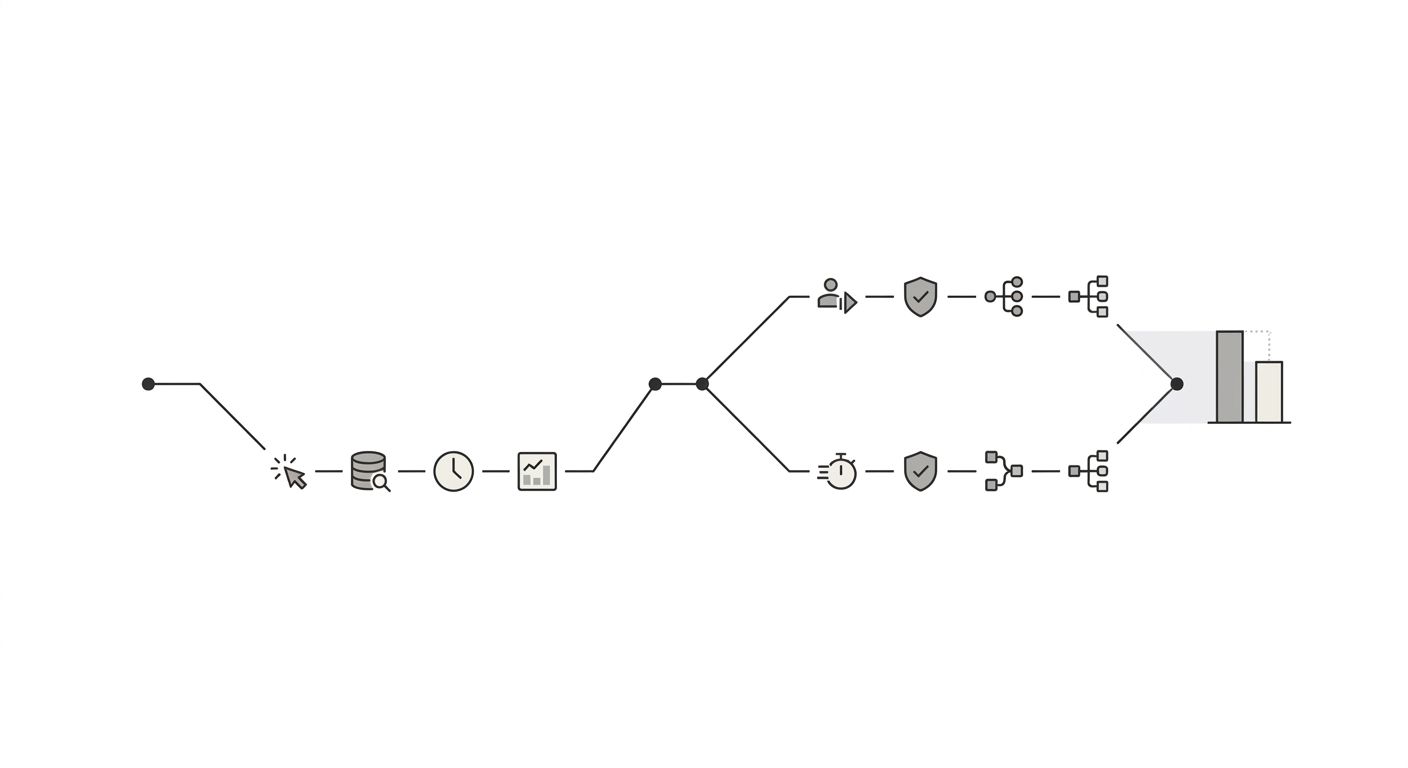
Every rule above assumes your GA4 JavaScript tag fires correctly on every page, user consent isn't blocking the majority of your session data, and your site doesn't have foundational tagging problems like duplicate GA4 snippets or tag manager conflicts. If the tracking implementation itself is broken, attribution settings won't save you. Start with a systematic debugging approach before fine-tuning attribution models.
Consent-mode adoption in the EU and several other jurisdictions now suppresses a significant share of GA4 session data. If 40% of your users decline tracking cookies, your GA4 organic numbers will undercount by roughly that percentage, and no attribution model or UTM convention compensates for it. GA4's behavioral modeling attempts to fill the gap with estimates, but accuracy varies widely by traffic volume, and Google provides no confidence intervals on those modeled numbers.
These seven steps get you a setup where the gaps are known, the distortions are minimized, and the trend data is directionally reliable. The alternative approach, running with every GA4 default unchanged and trusting the reports at face value, guarantees decisions made on data that systematically undercounts your organic channel's real contribution. Organic search still drives an estimated 53.3% of all trackable website traffic. Your measurement setup should reflect that weight, even if it can never capture it with perfect precision.
OrganicSEO.org Editorial
Editorial team writing about Ethical, white-hat, organic SEO education.
Related Articles
Keyword Intent Mismatch: How to Spot When Your Rankings Hide Poor Traffic Quality
Pages ranking on page one for target keywords convert at roughly 3% on average, but pages with strong keyword intent alignment push past 5%, per Grow and Convert's conversion data. The gap between those numbers is where intent mismatch hides, and three detection methods exist to find it.
The Quarterly Keyword Refresh Cycle: How to Catch Ranking Declines Before They Compound
Ranking declines become visible in position-tracking tools 4 to 6 weeks after they first appear in impression data.
The SEO Debugging Checklist: How to Diagnose Visibility Drops Systematically (Not Frantically)
Diagnosing organic traffic drops requires a bottom-up diagnostic sequence through five layers: Crawl, Render, Index, Rank, and Click. Fixing lower layers first prevents wasted hours rewriting content that Google never crawled in the first place.